Pages

Sila / Please 'LIKE' to support this blog..tq ^^

Jumaat, Ogos 17, 2012

Perancangan baik satukan keluarga

Wasiat jadi amal jariah kepada pewaris harta 

Perancangan harta adalah cara membentuk perpaduan kepada sebuah keluarga kerana ini membolehkan pemilik harta membahagi serta memindahkan harta kepada waris dikehendaki berdasarkan objektif ingin kebahagiaan di dunia dan akhirat. 
Diriwayatkan oleh Saidina Umar, Rasulullah SAW bersabda: “Sesungguhnya setiap pekerjaan itu perlu wujud objektifnya (niat). Dan bagi seseorang akan mencapai objektif yang telah ditetapkan. Sekiranya dia berhijrah untuk tujuan Allah dan Rasul-Nya, maka dia akan mendapat keredaan Allah dan Rasul-Nya, atau hanya sekadar dunia, dia akan mendapat dunia atau hijrahnya untuk tujuan wanita, maka dia akan berkahwin dengannya. Maka hijrah seseorang itu, terhenti pada apa yang dia niatkan.” (Riwayat Bukhari) 


Manfaat perancangan harta 

Perancangan harta yang dilaksanakan dengan baik akan memberi manfaat besar bukan hanya kepada individu terbabit, juga institusi keluarga Islam secara umum. Perpaduan dimaksudkan dapat dilihat dengan jelas kerana perancangan mempunyai ciri tersendiri serta umum. 

Perkara ini memperlihatkan dan menggambarkan satu situasi sihat yang mana semua ahli waris berhak atau tidak akan bersatu padu seterusnya menjadi penggerak ke arah mencapai niat yang dikehendaki. 

Pada masa sama, tentunya kita tidak mahu menjadi orang yang memecahbelahkan keluarga dan keturunan sendiri kerana keengganan menerima atau melaksana perancangan harta. 
Siapa sangka perancangan harta juga boleh disifatkan sebagai satu proses penyatuan dengan niat melakukan kebaikan, menghindari perpecahan dan perseteruan dalam kalangan ahli keluarga. Bayangkan keberkatan dan kebaikan yang wujud dengan perancangan dilakukan. 


Rancang harta ketika hidup 

Ingat, perancangan ini hanya boleh dilakukan ketika masih hidup, sebelum menghembuskan nafas terakhir. Namun, apabila tiba giliran kita untuk menemui Allah SWT maka ketahuilah bahawasanya berakhirlah juga semua urusan dunia. 

Firman Allah SWT: “Dialah yang menciptakan kamu dari tanah, kemudian Dia tentukan ajal (kematian kamu) dan satu ajal lagi yang tertentu di sisi-Nya (iaitu masa yang telah ditetapkan untuk dibangkitkan kamu semula pada hari kiamat); dalam pada itu, kamu masih ragu-ragu (hari pembalasan).” (Surah Al An’aam, ayat 2) 

Sudahkah kita membuat perancangan membolehkan dan membenarkan kita menjana ganjaran pahala berterusan sehingga hari kiamat? Umat Islam diberi nikmat oleh Allah untuk memilih cara terbaik melakukan amal jariah dan sedekah. 

Diriwayatkan oleh Ahmad dan Muslim, Rasulullah SAW bersabda: “Apabila mati seorang manusia maka terputuslah segala amalannya kecuali tiga perkara; sedekah jariah (sedekah yang berkekalan), ilmu yang memberi manfaat dan anak yang soleh yang mendoakan baginya.” 

Oleh itu, niat membuat perancangan perlu ada terutama dengan harapan dapat memperkukuh serta mempererat perhubungan kalangan keluarga walaupun masih belum boleh dilaksanakan atas sebab tertentu. 

Harta kekayaan dan kemewahan dimiliki tidak boleh dijadikan satu bentuk kebanggaan yang melampau sehingga menjadikan kita terlupa kepada objektif atau niat utama mengapa harta kekayaan dicari dan dikurniakan Allah SWT kepada setiap umatNya. 


Guna harta untuk kebaikan, pahala 

Firman Allah SWT: “Sesungguhnya Qarun adalah ia dari kaum Nabi Musa kemudian ia berlaku sombong dan zalim terhadap mereka, dan Kami telah mengurniakannya dari berbagai jenis kekayaan yang anak kuncinya menjadi beban yang sungguh berat untuk dipikul oleh sebilangan orang yang kuat sasa. (Ia berlaku sombong) tatkala kaumnya berkata kepadanya: Janganlah engkau bermegah-megah (dengan kekayaanmu), sesungguhnya Allah tidak suka kepada orang yang bermegah-megah (seperti lagakmu itu).” (Surah al-Qasas, ayat 76) 

Islam menggalakkan umatnya berusaha mencari rezeki secara halal tanpa meminta-minta. Kita pula sebagai manusia akan sentiasa berdoa dan berusaha mengumpul harta kekayaan tanpa sekali-kali membelakangkan tuntutan syarak, harta diperoleh digunakan demi kebaikan dan mendapat pahala. 

Perkara ini penting dan perlu dijadikan dasar kepada niat mengumpul harta kekayaan kerana manusia mudah lupa seterusnya boleh terjerumus dengan perkara dilarang. Oleh itu, kita perlu tahu objektif atau niat penting kepada umat Islam. 


Niat baik dapat ganjaran 

Dalam konteks perancangan harta, akan berlaku keadaan ahli keluarga bertukar niat, jika dulu bersetuju dengan perancangan dibuat, tetapi akhirnya sanggup mengabaikan amanah kerana mendahulukan kepentingan diri. 

Sedar atau tidak, niat baik, semua perbuatan akan mendapat ganjaran daripada Allah SWT seperti sabda Rasulullah SAW: “Seorang mukmin bisa mendapat pahala dari segala sesuatu (dengan niat yang baik), hingga suapan yang ia masukkan ke mulut isterinya. (Riwayat Ahmad dan lainnya) 

Mulai hari ini apa kata kita sematkan dalam jiwa untuk menjadikan perancangan harta sebagai salah satu agenda utama dalam hidup dengan niat membawa kebahagiaan kepada keluarga yang ditinggalkan. 

Isnin, Ogos 13, 2012

5 'Office Suites' Percuma berguna untuk PC anda


Microsoft Office is one of the Popular Office Suite with lots of feature and tools, it’s one of the very best. But to use the Microsoft Office on your OS you have to pay a price. But there are so many alternative of Microsoft Office are available on the market which are free and no need to buy them, just download them on your and and enjoy the free office suite on your PC. Today we come with the list of free Office Suites for your PC.
5 Free Useful Office Suites for Your PC5 Free Alternatives to Microsoft Office
1. Google Docs (Google Drive)
Google Docs
Google Docs
Google Docs is one of the best office suite and competitor of Microsoft office and its free web based office suite. No need to install the suite on your PC like Microsoft office, just signup the Google account and use the docs free. Google Docs is completely online and includes a web-based Word Processor, Spreadsheet application, and a Presentation app. Create, share, and collaborate on the web with documents, spreadsheets, presentations, and more.
Microsoft OFfice Web Apps
Yes its from Microsoft and it free, but the catch is its a online web based version. To use this all you need is a free Windows Live ID. It is only available for Word, Excel and PowerPoint. Allows you to access, edit, and share your Word, Excel, PowerPoint, and OneNote documents online using SkyDrive.
Kingsoft Office Suite 2012
Another Pretty awesome free office suite to your PC. Install the suite on your windows PC and enjoy the the benefits of Kingsoft Office Suite. It allows you to Create & edit Word, Spreadsheets and PowerPoint documents. And also available for the Android mobile users. The app has three versions Free, Standard and Professional. The standard version costs UK ? 31. The professional version costs UK ? 45.
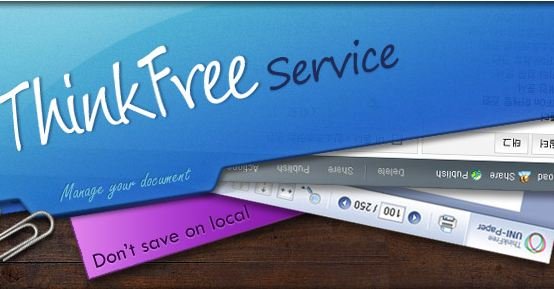
Thinkfree Online Office
Another free award-winning ThinkFree Office is a Microsoft Office compatible application suite comprised of word processing, spreadsheet, and presentation graphics. Thinkfree allows documnet editing online without installing any app on PC. All you have to do is sign up for a ThinkFree Online membership and experience the convenience of using Online Office! On thing we link with this app is it gives the same user environment of MS Office 2003, so there is no difficulty to use.
Open Office
Open Office
OpenOffice.org is an office application suite available for a number of different OS and available in many languages. It includes Writer (word processing), Impress (presentation), Math, Draw, Calc (spreadsheet), and Base applications. Compatible with other major office suites, Apache OpenOffice is free to download, use, and distribute
I hope this list will helps you to decide what you should use as your primary office suite. All of the above apps are free and best alternatives of Microsoft Office.

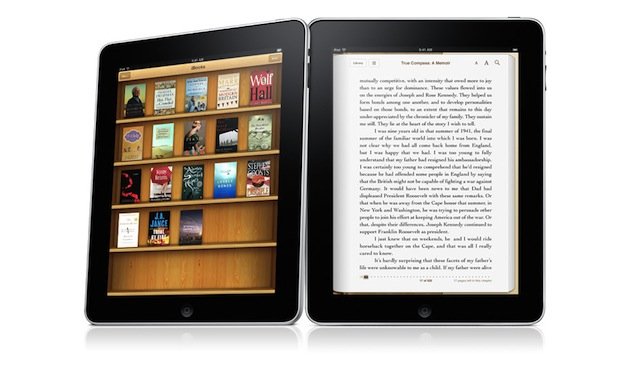
Tukarkan PDF & Ebook ke dalam iBooks untuk iPad dengan Calibre


If you have lots of books in PDF or any other format but your iPad didn’t support them, because iPad needs a specific format to read to book and that is ePub. So how to read all those books on your iPad, all you have to do is convert all those PDF file into ePub format. And this can be possible only with Calibre App.
Calibre is a free and open source application to convert all your PDF file into iPad format. Calibre enables you to manage your entire eBooks collection (rate, tag, sort, download metadata and covers etc.) and it accepts a wide range of formats for conversion. Calibre runs on Windows, Mac OS X and Linux machine. Below is the tutorial which allows you to convert PDF into ePub.
Convert PDF in ePub FormatHow to Convert PDF and eBook into iBook Ipad (epub format )
Step 1. Download and install calibre ebook converter.
Step 2. Now open the app on your PC or Mac and find the PDF file that you want to convert in iBook.
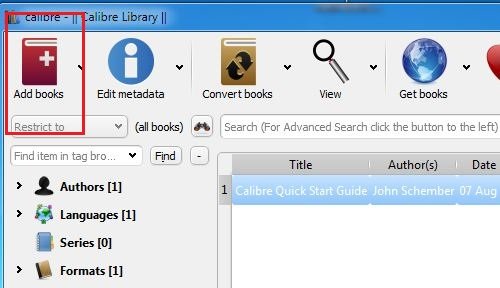
Step 3. Click the Add books button in the top-left corner of the window to import your PDF file into calibre.
Add Book to Convert
Add Book to Convert
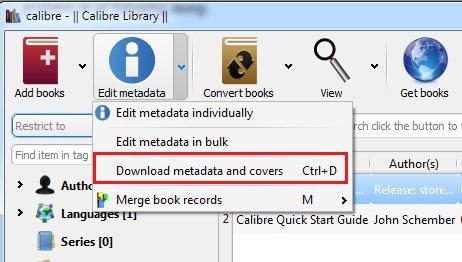
Step 4. Now click the small ‘arrow’ next to the Edit Meta information and select Download metadata and cover files. Calibre will now download additional information about your PDF/ebook – if it can find it. If it’s an eBook (as a .pdf), you may need to manually enter the book title and author name if it isn’t present when you load it into calibre initially.
Download metadata and cover files
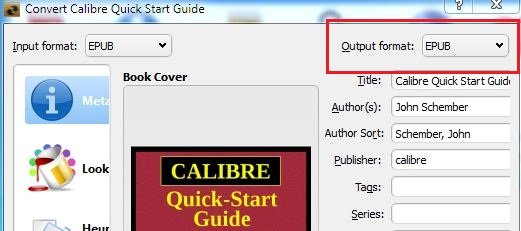
Step 5. After this click the small arrow next to the Convert E-books button for more options. From that list, select Convert individually and select the Output Format ePub. Click the OK button.
Select Output Format
Step 6. After the conversion is finished, you can locate the folder where you save the ePub file. Then connect your iPad to your Mac or PC, and launch iTunes. From the iTunes menu select File -> Add to Library… to import the converted ePub file. The new .ePub file will now appear in the Books section of iTunes.
Step 7. Select your iPad in iTunes and select the Books tab. After confirming your new .ePub book is listed, click the Sync button.
Check out the Video Demo below:-
Thats it! thanks to the developers behind Calibre app making such an awesome app to convert eBooks into iPad format easily. If you know any other method to converting eBooks to ePub format, let’s hear about it in the comments.

Pulih Semua Foto Anda Yang Hilang Dari Email dengan Beberapa Klik


It was always a difficult task to search old photos in your email box that you received as email attachments. And it take so much time to find the one that you are looking, Now you can easily recover all those photos with few click from your email account. Yes it is possible with Lost photos app, which allows you to find any photo you’ve ever sent or received stored in your email account.
Lost Photos, a free desktop app, retrieves photo from most popular email services, including Gmail, Yahoo, AOL, iCloud/MobileMe and Google Apps account. Also it gives you options to post those selected images to Facebook or Twitter, send them as emails easily.
Recover All Your Lost Photos From Email with Few ClicksHow to Recover All Your Lost Photos From Email
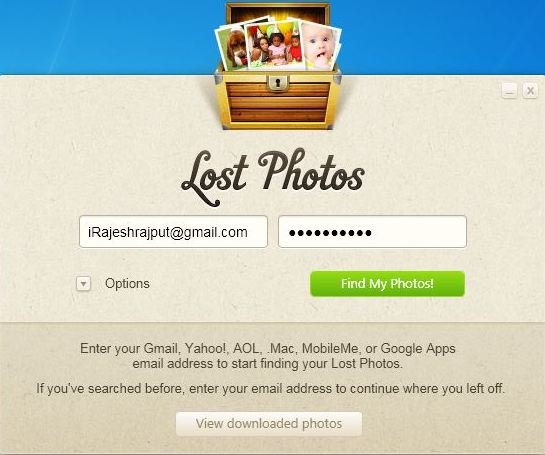
1. Go to the Lostphotos home page and install the app on your desktop. Now run the app and sign in with your account using your email address and password.
Lost photos login Screen
2. It also give you the option to search the images on your email, Lost Photos: Search For & Download All Images From Your Email Accounts, from here you can ignore gif file and images below than 8k size and set up a date criteria for searching the photos.
Lost Photos Options
Lost Photos Options
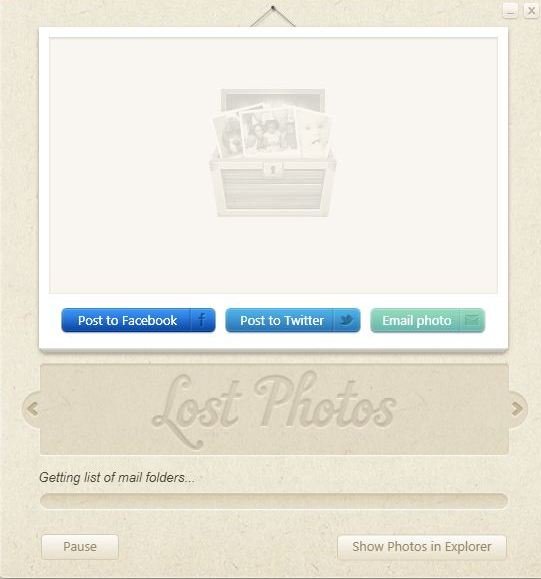
3. Once you select the options, then click Find My Photos! The process will likely take some time, especially if the account is more than a year old.
Searching for Photos
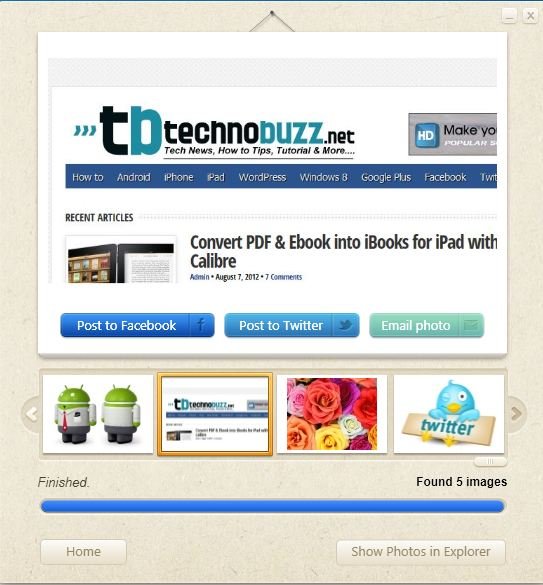
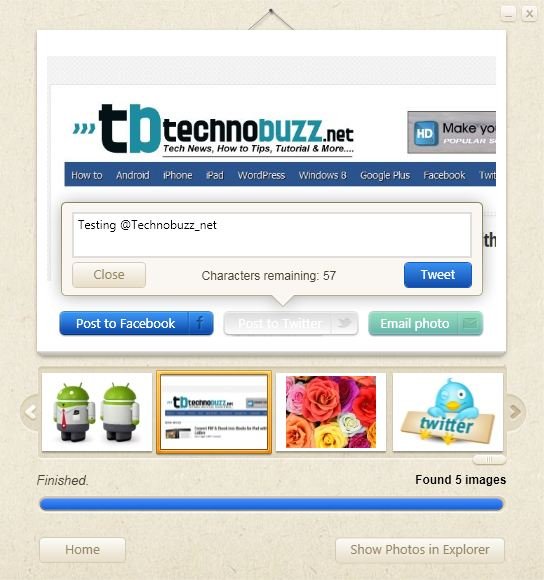
4. Once the process is complete you can see stream of thumbnails on the app windows, select any one to pen it or you can click to share any individual pic on Facebook, Twitter, or e-mail. If you want to see all the pictures on the windows explorer then hit the Show Photos in explorer option from the below right corner.
Lost Photos Recover
Lost Photos Recover
5. Now you have all the lost photos, you can also share all the recovered images directly to Facebook, and Twitter, or Email them to your friends.
Share Photos
Share Photos
Lost Photos is also available on the Mac App Store, but you have to pay $2.99 to use it, Foe windows user its totally free and you can download it from the link given below.